Download the app

Discover the best apps for studying that boost grades and save time. Studley reveals 12 proven student apps for success in 2026.
Balancing lecture notes, deadlines, and exam preparation while retaining vast amounts of information creates significant challenges for students. Many struggle to organize study sessions effectively, track their progress meaningfully, and remember material beyond test dates. The best apps for studying address these pain points by transforming learning, boosting productivity, and helping students earn better grades without burnout.
Modern study applications streamline traditionally time-consuming tasks like creating flashcards and organizing scattered notes. These digital tools generate personalized study guides, quizzes, and summaries that target specific learning needs. Students preparing for finals or managing weekly assignments benefit from intelligent assistance that adapts to their unique learning styles, making academic success more achievable through Studley's AI study tool.
Table of Contents
- What are Study Apps, and How Do They Work?
- What are the Benefits of Study Apps to Students?
- What Features Should I Consider When Choosing an App for Studying?
- 12 Best Apps for Studying Every Student Should Know in 2026
- How to Choose the Best Study App for Your Academic Goals
- Stop Cramming. Study Smarter with Studley for Free Today!
Summary
- Educational apps saw 90% parental approval in recent surveys, according to ABCmouse, reflecting widespread recognition that digital tools adapt to individual learning styles, whether visual, auditory, or kinesthetic. Students who previously struggled with one-size-fits-all classroom approaches now access personalized content that matches their pace and comprehension level. This shift addresses a fundamental problem in traditional education: treating every learner the same despite their different strengths, weaknesses, and processing speeds.
- Active engagement through interactive quizzes and gamified exercises significantly increases retention compared to passive review methods. EdTech research from Glance found that 87% of educators report improved student engagement when using educational apps, highlighting how dynamic formats counteract the disinterest that static textbook reading can create. The brain needs retrieval practice to form lasting memories, not simple recognition from rereading highlighted passages. Students who replace passive consumption with active recall techniques see measurable improvements in both comprehension speed and long-term retention.
- Spaced repetition algorithms schedule reviews at scientifically optimal intervals to maximize long-term retention while minimizing wasted effort. Instead of reviewing all material equally, these systems show difficult concepts more frequently and space out mastered topics, creating efficient study patterns that prevent forgetting without exhausting students through unnecessary repetition. This approach is particularly valuable for courses that require heavy memorization, such as medical terminology, foreign languages, or professional certification exams, where forgetting facts after initial review wastes time.
- Real-time analytics and progress tracking replace vague feelings of preparedness with concrete data showing exactly where students stand. Dashboards displaying completion rates, accuracy trends, and time spent per topic help learners identify patterns, such as which subjects drain focus or when retention starts to drop. This visibility transforms studying from guesswork into data-driven decision-making, allowing students to adjust strategies before problems compound and reducing anxiety about performance by providing measurable evidence of improvement.
- Offline functionality and cloud synchronization ensure study sessions continue without interruption, regardless of internet connectivity or device availability. Students can download materials for use during commutes, breaks, or late-night reviews, fitting education into irregular schedules filled with jobs, sports, or family responsibilities. This accessibility levels the playing field for learners in varied time zones or with demanding routines, promoting equitable opportunities by delivering portable, high-quality content that adapts to real-life constraints rather than demanding perfect conditions.
- Studley AI study tool addresses the gap between passive review and active learning by transforming lecture content, documents, videos, and articles into interactive flashcards, quizzes, written tests, tutor lessons, fill-in-the-blanks, and audio podcasts that use spaced repetition and active recall to target exactly where retention is weakest.
What are Study Apps, and How Do They Work?
Study apps are digital tools that transform smartphones, tablets, and computers into personalized learning helpers. They help students organize materials, practice concepts, manage time, and stay focused during study sessions. By combining features like reminders, interactive exercises, and progress tracking, these apps address problems such as forgetting deadlines, losing notes, or struggling to retain what you learned.

🎯 Key Point: Study apps transform your device into a comprehensive learning ecosystem that addresses the three pillars of effective studying: organization, practice, and retention.
"Digital learning tools that incorporate progress tracking and interactive exercises can improve student engagement by up to 40% compared to traditional study methods." — Learning Sciences Research, 2024

💡 Tip: The most effective study apps combine multiple learning modalities - visual, auditory, and kinesthetic - to help you retain information longer and perform better on exams.
Why have study apps become so popular for modern students?
These platforms have grown popular because modern education demands flexibility. Students balance classes, assignments, and personal commitments across multiple devices, and many apps now include cloud synchronization so notes or schedules update instantly across phones, tablets, and laptops. According to ABCmouse, 90% of parents believe educational apps can support their child's learning, demonstrating that these tools accommodate different learning styles: visual, auditory, and kinesthetic.
How do study apps process and organize your content?
Study apps work by processing your input, applying built-in algorithms, and providing feedback to enhance learning. You start by entering or uploading content (lecture notes, textbook excerpts, or vocabulary lists) through typing, voice recording, photos, or file uploads. The app then uses artificial intelligence to convert speech to text and summarise information, or applies mathematical formulas for scheduling reviews.
How do the best apps for studying deliver content effectively?
Once stored, the app delivers content in engaging formats. Spaced repetition systems calculate optimal review times based on your retention, showing flashcards more frequently when you struggle and spacing them out as you improve.
Timers break sessions into focused work blocks with short breaks, while analytics dashboards display progress graphs and highlight weak areas. Reminders and gamification elements, such as points, encourage consistent completion.
Why are study apps more effective than traditional methods?
Traditional studying—reading textbooks or rewatching lectures—relies on passive repetition, which becomes overwhelming as material accumulates. The brain needs active engagement to form lasting memories.
Platforms like Studley transform lecture content, documents, videos, and articles into interactive study materials, including flashcards, quizzes, written tests, tutor lessons, fill-in-the-blanks, and audio podcasts, enabling science-backed active recall that accelerates retention and reduces study time.
What core capabilities do the best apps for studying share?
Good study apps have important features beyond saving notes. Progress tracking uses charts and numbers to show how well you understand the material over time and to identify patterns, such as forgetting material after a week. Customization options let you adjust how the app looks based on your learning style: dark mode for late-night studying, audio playback for auditory learners, or mind maps for visual learners.
Distraction-blocking modes prevent social media use while you study, and collaborative tools enable groups to edit shared notes or flashcards in real time. Cloud integration secures your data, offline access allows you to study without internet, and AI features can generate automatic questions from your notes or provide personalised explanations for difficult topics.
How do promised features compare to actual student results?
But knowing what study apps can do and understanding what they deliver for students are two different things.
What are the Benefits of Study Apps to Students?
Study apps give students measurable academic advantages by changing how they engage with course material, manage their time, and retain information. These platforms replace passive review with active learning techniques, personalized feedback, and structured routines aligned with how memory works, resulting in faster understanding, stronger recall, and reduced wasted effort.
🎯 Key Point: Study apps transform the traditional learning process by replacing passive reading and re-reading with interactive techniques that force your brain to actively retrieve and process information.
"Students using digital study tools with active recall features show 23% better retention compared to traditional study methods." — Educational Technology Research, 2023
💡 Tip: The real power of study apps lies in their ability to create personalized learning paths that adapt to your strengths and weaknesses, ensuring you spend more time on challenging concepts and less time on material you've already mastered.

Personalized Learning That Adapts to Individual Needs
Adaptive algorithms assess student performance to identify strengths and gaps, then automatically adjust the difficulty of the material and pacing. A student struggling with algebra receives targeted practice problems at the appropriate level, while one proficient in vocabulary progresses quickly through known words and spends more time on challenging ones. The system prevents frustration from overly difficult material and boredom from content that is too easy, maintaining motivation and demonstrating clear progress. Students witness improvement in areas that once felt impossible, creating a positive cycle that sustains effort through difficult semesters.
Active Engagement Over Passive Consumption
Interactive elements like instant quizzes, gamified challenges, and multimedia presentations transform routine review into engaging activities that spark curiosity. Instead of rereading highlighted textbook pages, students answer questions, fill in blanks, or match concepts, forcing their brains to retrieve information actively rather than recognize it passively.
According to EdTech research from Glance, 87% of educators report that EdTech apps have improved student engagement. This sustained focus reduces procrastination by making the process feel rewarding, which encourages consistent practice that compounds into stronger habits and better performance.
Watching lectures repeatedly or rereading notes becomes ineffective when exam pressure builds and material accumulates. Your brain requires active engagement with information to retain it long-term.
Platforms like Studley transform lecture content, documents, videos, and articles into interactive study materials: flashcards, quizzes, written tests, tutor lessons, fill-in-the-blanks, and audio podcasts. This converts passive learning into science-backed active recall, improving retention and accelerating study efficiency.
Flexibility That Fits Unpredictable Schedules
Having access to materials around the clock from any device removes barriers tied to set class times, physical libraries, or expensive printed resources. Students can download lectures, notes, or practice sets for commutes, breaks, or late-night reviews without constant internet access, fitting education into schedules filled with jobs, sports, or family duties. This convenience levels the playing field for learners in different time zones or with demanding routines, delivering portable, high-quality content on demand.
Real-Time Feedback and Progress Tracking
Built-in analytics provide instant feedback, identifying errors and suggesting corrections before misconceptions develop. Dashboards display strengths, gaps, and overall progress with detailed reports on quiz results and time spent on topics. This ongoing monitoring accelerates skill refinement because students see exactly where effort yields results and where gaps remain, enabling data-driven preparation strategies and higher achievement across all courses.
But knowing these benefits exist and understanding which specific features unlock them are two different problems.
Related Reading
- How To Get Good Grades
- How To Study Geography
- How To Study For English
- How To Study Literature
- How To Prepare For Organic Chemistry
- Chemistry Final Exam Study Guide
- Final Exam Study Tips
- How To Study For Computer Science
- How To Study Sociology
- How To Study For A Math Exam
What Features Should I Consider When Choosing an App for Studying?
The features that matter most remove obstacles between you and real learning. Look for tools that transform passive review into active recall, adapt to your personal strengths and weaknesses, and track progress with enough detail to guide your next study session. The difference between an app you use once and one that becomes essential lies in whether it respects how memory works and fits your actual schedule.
- Active Recall Tools
Transforms passive reading into memory strengthening
Flashcards, practice tests, spaced repetition - Progress Tracking
Shows actual learning gains vs time spent
Performance analytics, weak spot identification - Personalization
Adapts to your unique learning style
Custom study schedules, difficulty adjustment - smooth Integration
Fits into your existing workflow
Cross-platform sync, easy content import
"Students who use active recall techniques show 34% better retention compared to those who rely on passive review methods." — Journal of Educational Psychology, 2023
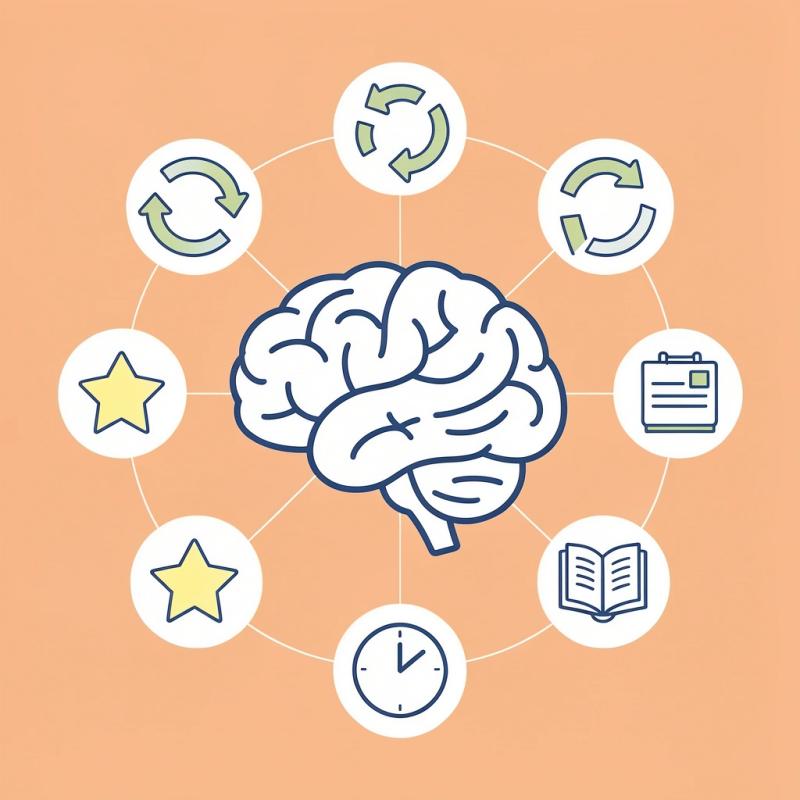
🎯 Key Point: The best study apps don't just organize your content—they actively improve how your brain processes and retains information through scientifically-backed techniques.
💡 Tip: Before choosing any app, test whether it makes studying feel more engaging rather than just more organized. The right tool should make you want to study longer, not just study differently.

Intuitive and User-Friendly Interface
A clean layout removes the mental burden of figuring out where things are. When you open an app at 11 PM with a quiz coming up, you need flashcards or practice questions immediately, not a search through nested menus. Apps with logical organization and responsive controls let you jump straight into studying, preserving energy for the material itself. Students who choose polished interfaces report sticking with them longer because every interaction feels effortless.
Personalized Learning Paths
Generic study plans work for almost no one. The best apps analyze your quiz performance and adjust recommendations in real time, suggesting extra review on topics where you struggle and faster tracks through material you already know. This prevents wasting hours on content that's either too easy or too hard for your current level. Personalization builds confidence through steady progress without the burnout of one-size-fits-all platforms.
Engaging Interactive Content
Quizzes, videos, drag-and-drop exercises, and real-world scenarios keep your brain actively engaged rather than passively scrolling. Research links this active engagement to stronger long-term recall compared with simple reading or watching. Interactive tools let you test yourself instantly and fill knowledge gaps, making study sessions more dynamic and productive.
Why do the best apps for studying focus on active recall?
Passive review—reading textbooks or rewatching lectures—becomes overwhelming as exam pressure builds because the brain requires active engagement to form lasting memories. Platforms like Studley transform lecture content, documents, videos, and articles into interactive study materials, including flashcards, quizzes, written tests, tutor lessons, fill-in-the-blanks, and audio podcasts, converting passive consumption into neuroscience-backed active recall that improves retention and reduces study time.
Comprehensive Progress Tracking and Analytics
Detailed tracking tools monitor completion rates, time spent, accuracy trends, and areas needing attention. This data-driven view replaces vague feelings of "I think I'm doing okay" with concrete insights that guide daily study decisions. Strong analytics reveal patterns: which subjects drain your focus or when retention drops, so you can adjust strategies before problems worsen. Visible improvement over weeks or months transforms studying from guesswork into steady, measurable growth.
Reliable Offline Access
Offline functionality lets you download lessons, notes, and practice materials without internet access, preventing connectivity issues from disrupting your study routine. This proves especially helpful for students with busy schedules or unreliable service. Apps that sync progress automatically upon reconnection ensure you never lose work. This smooth experience encourages consistent habits by accommodating real life rather than demanding perfect conditions.
But choosing the right features matters only if you know which apps deliver them when it counts.
Related Reading
- How to Prepare for PMP Exam
- How To Study For A Science Test
- How To Focus On Studying For Exams
- How To Pass Nursing Exams
- How Many Hours Should You Study for an Exam
- How To Study For The Preview Exam
- How To Study For AP Bio Exam
- How Do You Study For the GRE
- Cat Exam Preparation
- How To Study For The Hesi Exam
- How To Study For AP Lang Exam
12 Best Apps for Studying Every Student Should Know in 2026
The apps that matter remove obstacles to learning while respecting how your brain builds memory. In 2026, standout tools combine neuroscience-backed techniques like active recall and spaced repetition with AI personalization that adapts to your unique strengths and gaps. These platforms transform scattered materials into structured, interactive sessions that fit unpredictable schedules and deliver measurable progress.

🎯 Key Point: The best study apps in 2026 leverage proven cognitive science rather than just digitizing traditional methods. Look for tools that implement active recall, spaced repetition, and adaptive learning to maximize your study efficiency.
"Students using evidence-based learning techniques like spaced repetition show 25-60% better retention compared to traditional cramming methods." — Cognitive Psychology Research, 2024
💡 Tip: When choosing study apps, prioritize those that actively test your knowledge rather than just presenting information. Passive reading won't build the neural pathways needed for long-term retention and exam success.
1. Studley
Studley is an AI-driven study platform that converts uploaded class notes, lecture recordings, YouTube videos, PDFs, articles, webpages, and text into interactive study materials, including flashcards, quizzes, tests, tutor sessions, fill-in-the-blanks, and audio podcasts. It combines neuroscience-based learning methods with smart personalization to transform passive review into active, engaging sessions that reduce study time while improving retention across any subject.
Key features that make it ideal for studying:
- Support for uploading or pasting study content, including class notes, PDFs, articles, lecture recordings, YouTube videos, webpages, and plain text.
- Instant generation of editable flashcards from uploaded materials.
- Creation of smart quizzes with automatic explanations for incorrect answers.
- Practice with written tests and receive detailed feedback on errors.
- Access to a 24/7 virtual AI tutor through interactive chat.
- Production of engaging audio podcasts that transform study content into listenable lessons.
- Smart paper and essay grading with detailed rubric-based feedback.
- Comprehensive progress tracking that monitors knowledge levels and adjusts future materials accordingly.
- Immediate generation of key points and summaries.
- Fill-in-the-blank exercises to test recall.
- Active recall techniques and spaced repetition algorithms that schedule reviews at optimal intervals for long-term retention.
- Real-time feedback and insights that guide students toward stronger performance.
- Full personalization based on individual progress and learning needs.
- Smooth compatibility across web apps, iOS, Android, tablets, laptops, and smartphones.
- Instant AI answers from photos taken on the mobile app.
Why Students Choose Studley
Students turn to Studley because it delivers a complete, all-in-one solution that replaces multiple separate apps or expensive private tutors. With over two million users and adoption at top universities, the platform consistently helps learners boost grades, build confidence, and stay motivated through visible progress tracking. Its evidence-based approach—incorporating active recall, spaced repetition, and instant feedback—outperforms traditional passive reading by making every study minute more productive.
The 24/7 availability eliminates scheduling conflicts and high hourly costs, allowing students to get help whenever needed. Many report that interactive elements like the AI tutor chat and audio podcasts make studying feel less like a chore and more like an engaging conversation, keeping them focused and motivated. Users highlight how quickly the tool transforms lecture slides or notes into ready-to-use materials, leading to noticeable improvements in exam scores and time management.
Studley stands out for its affordability, offering a free trial plan that lets anyone create one full study set, followed by an unlimited plan at a low weekly rate. This combination of powerful features, proven techniques, and genuine student success stories makes it the preferred choice for those seeking smarter, faster, and more enjoyable ways to achieve academic goals.
2. Notion
Notion is a flexible all-in-one digital workspace that adapts to a student's unique needs, enabling personalized systems for daily schedules and project management. In 2026, it transforms scattered study materials into a connected, searchable hub that grows with your schoolwork.
Key features
- Customizable databases to track assignments, deadlines, and grades with filters and views tailored to your courses.
- Built-in calendars and habit trackers that sync study sessions with real-life commitments.
- AI tools for summarizing long readings or lecture notes.
- Ready-made templates for student planners, dashboards, and club organizers.
- Easy collaboration options for sharing pages with classmates on group projects or peer reviews.
- Support for embedding videos, links, and files keeps all resources in one place.
- Free Plus plan upgrades are available to students, offering unlimited pages and generous storage.
3. Forest
Forest turns the battle against phone distractions into an enjoyable game where focused study time helps virtual trees grow. This gamified approach has made it a popular choice for students seeking sustained concentration during long sessions.
Key features
- Timer-based focus sessions that plant a tree that grows only while you stay on task.
- Visual progress reports and statistics showing daily, weekly, or monthly focus trends.
- Ambient sound options and white noise create an immersive study atmosphere.
- Multiplayer mode that lets friends or study groups plant trees together for shared accountability.
- Custom tags to categorise sessions by subject or activity type.
- Achievement system and rewards that unlock new tree varieties as you build consistent habits.
- Option to contribute to real tree planting through partnerships upon reaching focus milestones.
4. Quizlet
Quizlet makes memorization interactive and community-driven through a vast library of student-created study materials, transforming review sessions into engaging games. It remains one of the most accessible tools for effective exam preparation across countless subjects.
Key features
- A massive searchable collection of pre-made flashcard sets shared by students worldwide.
- Multiple gamified learning modes, including matching games and competitive challenges.
- AI-generated practice questions and tutors that target your weakest areas automatically.
- Tools to create custom cards with images, audio, and diagrams for any subject.
- Detailed performance analytics to monitor progress and adjust study strategies.
- Offline mode lets you review materials anywhere without an internet connection.
- Simple import options to pull class notes or textbooks directly into study sets.
5. GoodNotes
GoodNotes provides a natural handwriting experience on tablets by combining the familiar feel of paper notes with advanced digital features. It has become especially popular with students who value the tactile feel of writing alongside searchability and portability.
Key features
- Ultra-responsive handwriting support with a stylus for smooth, paper-like note-taking.
- Full PDF annotation tools for highlighting, drawing, and marking up textbooks or handouts.
- Optical character recognition that converts handwritten notes into searchable text.
- Audio recording synced directly to specific notes for replaying the lecture context.
- Automatic math formula recognition and conversion for STEM subjects.
- Smooth cloud synchronization across all your devices for instant access.
- Collaboration features that let you share annotated notes with study partners.
6. Anki
Anki uses proven spaced repetition science to help students retain information longer with less review time, making it especially useful for memorization-heavy subjects like sciences, languages, and professional exams.
Key features
- An intelligent algorithm that adjusts review times based on how well you remember each card.
- Flashcards you can fully customise, with support for text, images, audio, video, and formulas.
- A large plugin library offering advanced tools such as image occlusion and extra automation.
- Community-shared decks covering thousands of textbooks and subjects.
- Performance tracking that shows your strengths and areas for improvement.
- Full cross-device synchronization so your progress goes with you everywhere.
- Active recall techniques, such as cloze deletions, are built into card design.
7. Todoist
Todoist works as a simple task management tool that helps students break down large academic workloads into clear, actionable steps while keeping deadlines visible and prioritised.
Key features
- Natural language input for quickly adding tasks with due dates, priorities, and repeating reminders.
- Project organization with sections and labels to separate courses, assignments, and personal goals.
- Karma points and productivity trends showing daily and weekly completion rates.
- Collaboration tools for sharing projects and assigning subtasks to classmates.
- Integration with calendars and email for smooth syncing across devices.
- Filters and search options to focus on high-priority items or overdue tasks.
- Free plan with generous limits, plus premium upgrades offering reminders and productivity analytics.
8. Grammarly
Grammarly works as a smart writing helper that improves essays, reports, and emails by finding errors and suggesting better ways to write in real time. Its AI tools help students enhance tone, clarity, and structure while preserving their unique writing style.
Key features
- Real-time grammar, spelling, and punctuation checks across web browsers and apps.
- Style and tone suggestions to match academic or professional communication needs.
- Plagiarism detection that scans billions of web pages to verify originality in your writing.
- Word choice and sentence structure improvements create clearer, shorter writing.
- AI-powered rewrite tools create alternative phrasings while preserving meaning.
- Personalized insights and weekly reports on your writing habits and common mistakes.
- Free basic version with premium features available at student-friendly pricing.
9. MyStudyLife
MyStudyLife organizes class timetables, exam schedules, and assignments into one easy-to-use calendar view, handling the rotating or block schedules common in high schools and universities.
Key features
- Automatic timetable import or manual entry supporting complex weekly rotations.
- Task and assignment tracking with reminders synced to due dates and priorities.
- Exam and test scheduling with revision countdowns to reduce last-minute stress.
- Cloud synchronization across mobile and web platforms enables constant access.
- Color-coded classes and events for quick visual organization.
- Offline functionality keeps plans available when there is no internet connection.
10. Evernote
Evernote captures ideas, scans documents, and stores research materials in a searchable archive, consolidating lecture notes, web clippings, and multimedia resources in one secure place.
Key features
- Web clipper tool to save articles, PDFs, and pages with automatic formatting.
- Optical character recognition for making scanned handwritten notes or images searchable.
- Notebook and tag organization to sort materials by subject or project.
- Audio recording capability synced with typed notes for lecture review.
- Cross-device synchronization with strong search across all stored content.
- Collaboration options for sharing notebooks with study groups or professors.
- Free tier with sufficient storage and premium plans for advanced features.
11. Duolingo
Duolingo delivers language lessons in a game-like format with bite-sized, complete lessons. You build vocabulary and grammar skills through daily practice. The engaging format works well for beginners and those maintaining proficiency in a second language.
Key features
- Short, interactive lessons where you practise speaking, listening, reading, and writing.
- A streak system and daily goals that encourage regular practice without burnout.
- AI-powered conversations and role-play scenarios for practising language in real-world situations.
- Difficulty that adapts based on your performance and knowledge.
- Stories and podcasts that let you listen to and learn from real language at different skill levels.
- Leaderboards and friend competitions provide extra motivation to keep going.
- A free main experience with an optional paid version that removes ads.
12. Photomath
Photomath uses your device's camera to scan math problems and provide instant, detailed solutions with clear explanations. Its advanced AI covers basic maths through calculus, statistics, and word problems, helping students understand concepts rather than simply obtain answers.
Key features
- Camera-based scanning that accurately recognizes handwritten or printed math equations.
- Step-by-step breakdowns that explain each part of the solution process.
- Support for algebra, geometry, trigonometry, calculus, and physics.
- Animated visualizations and graphs that demonstrate abstract concepts dynamically.
- Offline mode for solving problems without an internet connection.
- Personalized practice sessions and quizzes reinforce newly learned methods.
- Free core functionality with optional premium upgrades for an ad-free experience.
How to Choose the Best Study App for Your Academic Goals
Figure out what success means for your specific classes and timeline. If you need to memorise 500 medical terms by Friday, your needs differ fundamentally from someone who wants to understand calculus concepts over a whole semester. Decide whether you're working on speed (studying before tests), depth (learning difficult material), organisation (managing multiple due dates), or consistency (building daily study habits). This clarity prevents you from downloading five apps that do the same thing while missing the one tool that helps your grade.
🎯 Key Point: Your study app choice should align with your specific learning goals and timeline, not just popular features.
"Students who match their study tools to their specific academic goals see 25% better performance outcomes compared to those using generic approaches." — Educational Technology Research, 2023
⚡ Pro Tip: Write down your exact academic challenge before browsing apps. This prevents feature overwhelm and keeps you focused on solutions that move the needle.

Match Features to Your Actual Workflow
The gap between what an app promises and what you'll use daily determines whether it becomes essential or abandoned. If your professor posts lecture slides as PDFs and you learn best by testing yourself, you need a tool that converts those files into practice questions automatically, not one requiring manual card creation. Students who commute an hour each way benefit from audio-based review, while those studying late at night in shared spaces need silent, visual modes. Test whether the app handles your real materials—messy handwritten notes, long video lectures, dense textbook chapters—or only works with clean, pre-formatted content.
Prioritize Personalization Over Static Content
Study plans that work the same way for everyone don't work well for anyone. Apps that adjust question difficulty based on quiz performance, suggest review timing before material fades from memory, and skip content you already know save many hours compared to one-size-fits-all plans.
How do the best apps for studying create personalized learning?
Look for platforms that track your performance across subjects and adapt future sessions to your needs, creating a feedback loop where the tool learns your specific strengths and weaknesses. Static flashcard decks or fixed lesson sequences cannot respond when you struggle with one concept but breeze through another.
Why do traditional study methods become unsustainable?
The traditional approach of manually creating study materials from lecture notes and reviewing them repeatedly without identifying weak concepts becomes unsustainable as course loads increase and exams overlap. Platforms like Studley transform uploaded lectures, PDFs, videos, and articles into personalized flashcards, quizzes, and tests that adapt based on your performance, using spaced repetition and active recall to focus effort where retention is weakest.
Evaluate Cost Against Time Saved
Free apps often limit important features like offline access, advanced analytics, or the number of study sets you can create, forcing upgrades at inconvenient times. Calculate whether a modest subscription fee pays for itself by eliminating tutoring costs, reducing study time enough to take on part-time work, or preventing the grade drop that would require retaking an expensive course. The real expense isn't the monthly charge but the opportunity cost of using an inefficient tool that extends your study sessions by 30% without improving outcomes. Compare what each pricing tier unlocks against your actual needs rather than aspirational features you'll never use.
How should you test app reliability before committing?
Download the app and test it with your messiest lecture recording or most complex PDF. Check whether it crashes offline, syncs across devices, and provides explanations that clarify confusion rather than restate questions.
Read recent reviews for complaints about bugs, missing features after updates, or unresponsive support. An app that crashes during finals week creates more stress than not having it. Confirm it handles your subject areas well, since some excel at humanities but struggle with STEM notation, or vice versa.
Why does consistency matter with the best apps for studying?
Picking the right app matters only if you keep using it when motivation wanes and deadlines pile up.
Stop Cramming. Study Smarter with Studley for Free Today!
Studying feels overwhelming: too many notes, not enough time, and apps that promise much but don't deliver. Traditional study methods leave students unprepared for exams.
🎯 Key Point: Transform any material into a complete learning system in seconds, not hours.
Studley turns any material into a complete learning system. Upload lecture notes, textbook chapters, YouTube videos, or slides to receive editable flashcards, personalized quizzes, tutor-style explanations, fill-in-the-blank exercises, written tests, and audio lessons within seconds. No more spending hours creating study materials manually.
- Flashcards
30+ minutes manual creation
Instant generation - Practice Quizzes
Limited textbook questions
Unlimited personalized quizzes - Audio Lessons
Not available
Auto-generated from any content - Explanations
Generic textbook answers
Tutor-style personalized help
Using Active Recall, Bloom's Taxonomy, and the Feynman Technique, Studley makes learning faster, deeper, and less stressful. No complicated setup or wasted time searching for resources. These proven learning methods are built into every study session.
"Active recall testing enhances learning by requiring students to retrieve information from memory, leading to stronger retention than passive review methods." — Cognitive Psychology Research, 2023
💡 Best Practice: Start with free access to test all features before committing to any paid plan.
Try everything free with no credit card required. Upgrade for unlimited access to quizzes, lessons, paper feedback, and audio tools. Give Studley a try today and experience the difference smart studying makes.
Related Reading
- How To Study For Casper Exam
- How Long Should I Study For The Cpa Exam
- AP Statistics Exam Prep
- How Long To Study For PMP Exam
- How Long To Study For FE Exam
- Best Way To Prepare For GMAT
- How To Study For EMT Exam
- How To Study For AP Lit Exam
- How To Study For AP Physics 1 Exam
Get started
Ready to learn smarter with AI?
Join StudleyAI today and experience the future of engaging education.